Creating a QR Signup Poster
Published March 3, 2026
Creating a QR Signup Poster
The QR signup poster is one of the most effective ways to grow your loyalty program. Place it in your store and customers can join instantly by scanning with their phone — no app download required.
Getting Started
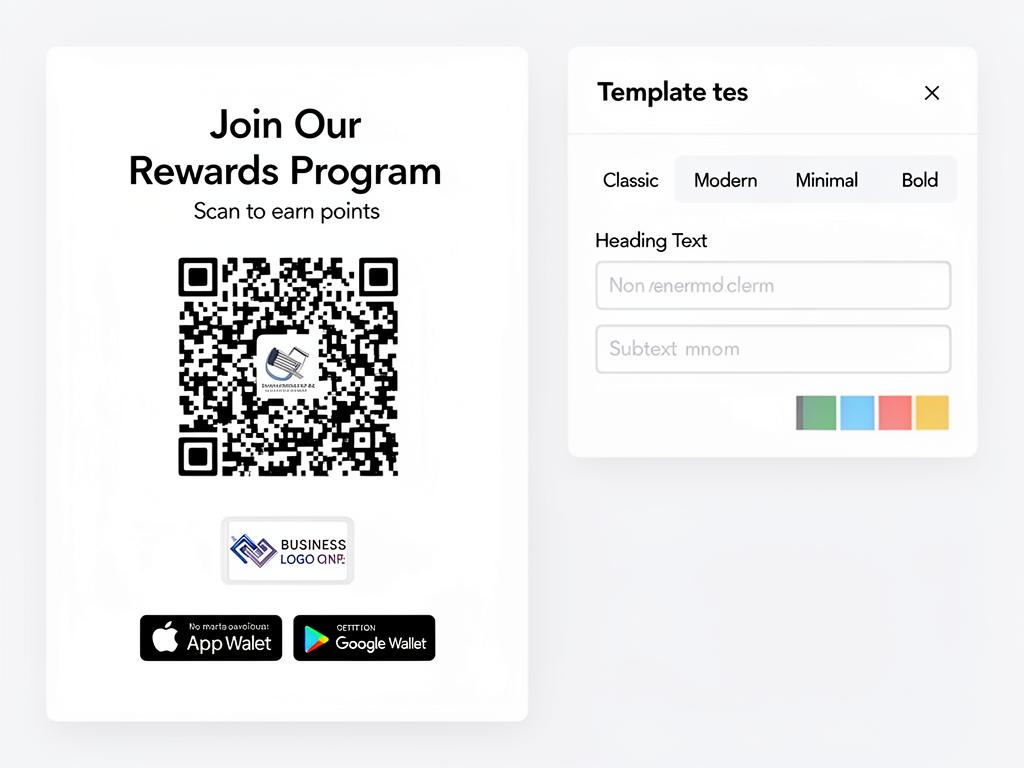
Navigate to QR Poster from the sidebar to open the poster designer. You'll see a live preview of your poster on the left and customization controls on the right.
💡 Tip: Make sure you've uploaded your logo in Organization Settings before designing your poster — it will be automatically included on the poster.
Choosing a Template
Cockato offers four professionally designed templates to match your brand style:
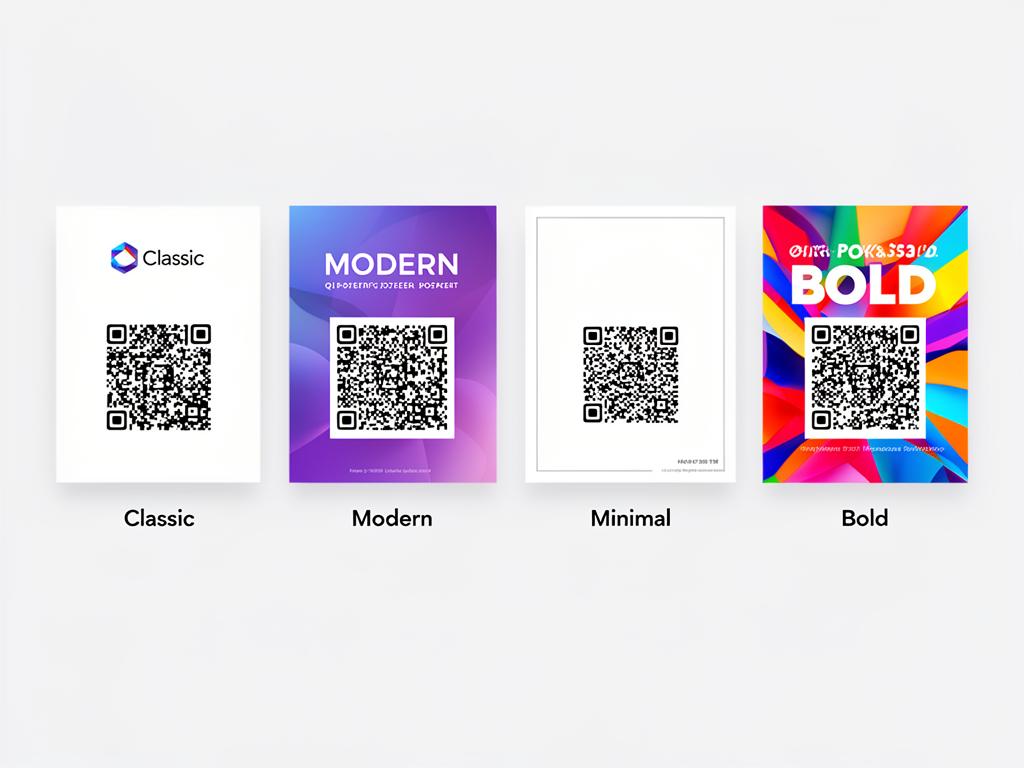
- Classic — Clean and professional with your logo prominently displayed
- Modern — Contemporary design with bold typography and gradient backgrounds
- Minimal — Simple and elegant with focus on the QR code
- Bold — Eye-catching design with large text and vibrant colors
📝 Note: All templates automatically use your organization's brand colors. You can switch between templates at any time without losing your customizations.
Customizing Your Poster
Each template can be personalized with the controls panel:
- Heading Text — Change the main headline (e.g., "Join Our Rewards Program")
- Subtext — Add supporting text explaining the benefits of joining
- Brand Colors — Your organization's primary and secondary colors are applied automatically
- Logo — Your uploaded logo appears on the poster
- Wallet Badges — Apple Wallet and Google Wallet badges show customers where their loyalty card will be saved
💡 Tip: Keep your heading short and action-oriented. Something like "Scan. Join. Earn." works better than a long description.
How the QR Code Works
The QR code is generated automatically and links directly to your customer signup page. When a customer scans it:
- Their phone opens your branded registration page
- They enter their name, email, and phone number
- They receive their digital loyalty card instantly
The QR code is unique to your organization and never changes, so you only need to print your poster once.
⚠️ Important: Make sure your rewards program is set up before printing your poster. Customers who sign up will expect to start earning rewards right away.
Downloading and Printing
Click the download button to save your poster in your preferred format:
- PNG — High-resolution image, great for digital displays or home printing
- PDF — Print-ready format for professional printing services
💡 Tip: Print your poster in A4 or A3 size for best visibility. Use a sturdy card stock or laminate it for durability.
Where to Place Your Poster
Strategic placement makes a big difference in sign-up rates. The poster designer includes a Placement Guide with tips, but here are the best spots:
- At the checkout counter — customers see it while waiting to pay
- Near the entrance — catch attention as people walk in
- On tables or waiting areas — give customers something to do while they wait
- On the front window — attract passersby
📝 Note: You can print multiple copies and place them in different locations throughout your store. The QR code is the same on every copy.
Frequently Asked Questions
Can I have different posters for different outlets? The QR code links to the same signup page regardless of location. All customers join the same loyalty program. You can customize the poster design but the QR destination stays the same.
What if I change my organization name or logo? Your poster design updates automatically when you change your branding. However, you'll need to re-download and reprint the poster to reflect the changes in your store.
Does the QR code expire? No — the QR code is permanent and will always link to your signup page as long as your Cockato account is active.
Can customers sign up without scanning the QR code? Yes — you can share your signup link directly via email, social media, or messaging apps. The QR code is just one way to access it.
Ready to get started?
Try Cockato for free and see how it can help grow your business.
Get Started Free