Setting Up Self-Service Claims
Published March 3, 2026
Setting Up Self-Service Claims
Self-service claims let customers submit their own loyalty transactions — points or punches — without needing staff assistance at the time of purchase. This is ideal for businesses where customers may forget to scan at checkout or want to claim rewards after the fact.
How It Works
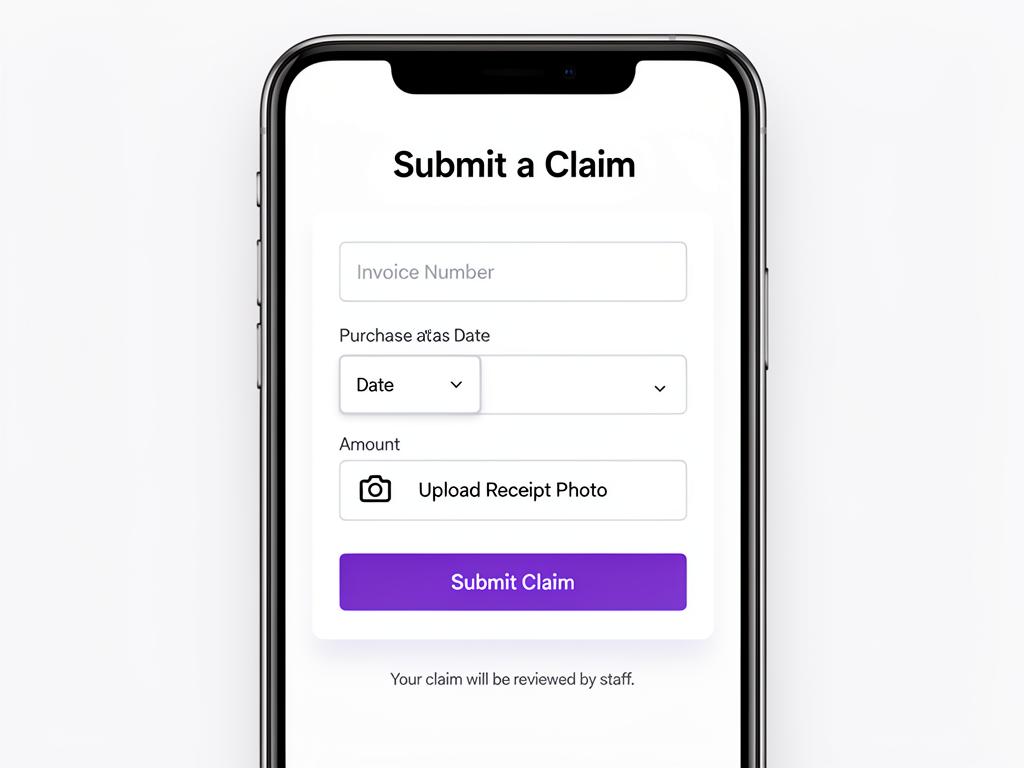
Here's the self-service claim flow from the customer's perspective:
- Customer makes a purchase at your store
- They open the self-service claim page (via their loyalty card or a QR code in-store)
- They fill in the transaction details and optionally upload a photo of their receipt
- The claim is submitted for staff review
- Staff approves or rejects the claim from the dashboard
- Points or punches are awarded automatically upon approval
💡 Tip: Self-service claims work great for businesses where transactions happen quickly (like cafés or food trucks) and scanning every customer isn't practical.
Enabling Self-Service
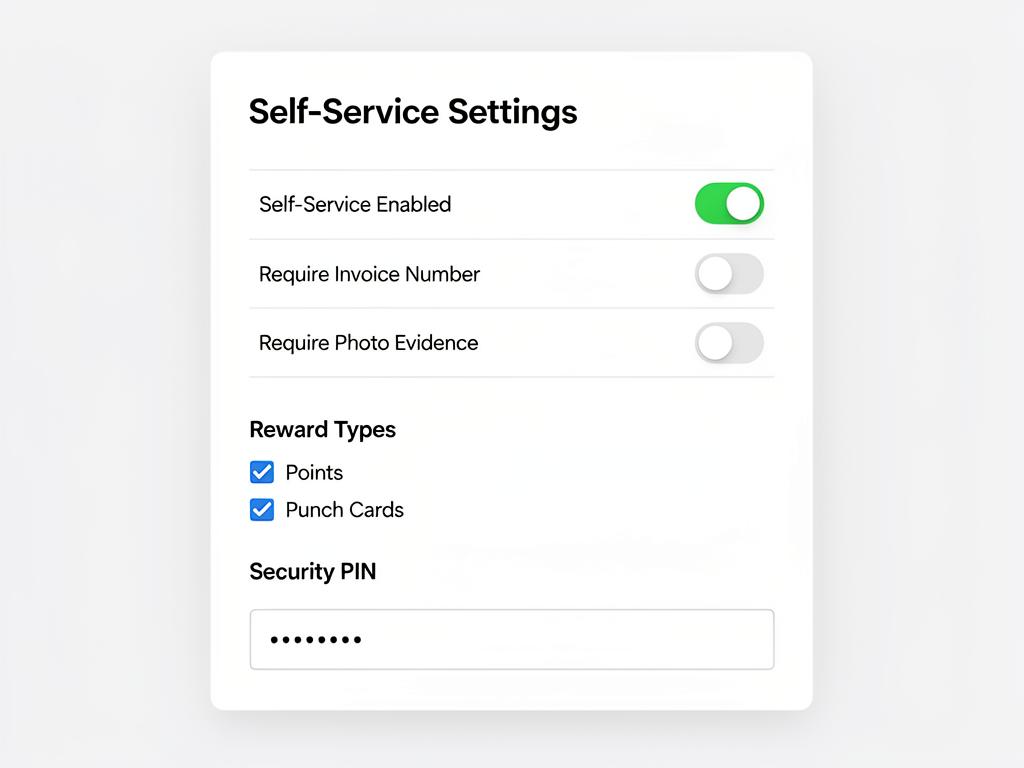
- Navigate to Rewards Settings from the sidebar
- Scroll to the Self-Service section
- Toggle Self-Service Enabled to on
- Configure your requirements (see below)
- Click Save
⚠️ Important: You must have at least one reward type (points or punch cards) configured before enabling self-service claims.
Configuring Requirements
Customize what information customers must provide when submitting a claim:
- Invoice Number — Require customers to enter the receipt or invoice number for verification
- Invoice Date — Require the date of purchase to prevent backdated claims
- Photo Evidence — Require a photo of the receipt as proof of purchase
- Custom Fields — Add additional fields specific to your business (e.g., table number, order type)
📝 Note: The more requirements you enable, the harder it is for customers to submit fraudulent claims — but it also adds friction to the process. Find the right balance for your business.
Choosing Reward Types
Select which rewards customers can claim via self-service:
- Points — Allow customers to submit spend amounts and earn points
- Punch Cards — Allow customers to claim punch stamps for visits or purchases
You can enable one or both options depending on your rewards program setup.
Security PIN
Optionally set a PIN code that customers must enter before submitting a claim. This adds an extra layer of verification to ensure only genuine in-store customers can submit claims.
💡 Tip: Display the PIN on a small sign near your checkout area or on the receipt. This way, only customers who actually visited your store can submit claims.
Approval Modes
Cockato supports two approval modes for self-service claims:
- Staff Approval (default) — Every claim requires manual review and approval by staff
- Auto-Approve — Claims are approved automatically (use with caution)
⚠️ Warning: Auto-approve mode should only be used if you have other safeguards in place (like requiring photo evidence and a security PIN). Without verification, customers could submit fraudulent claims.
How Customers Access Self-Service
Customers can reach the self-service claim page in two ways:
- From their loyalty card — A link in the customer portal or wallet pass
- Via a dedicated QR code — Display a separate QR code in your store that links directly to the claim page
💡 Tip: You can use the self-service claim link alongside your regular signup QR poster for a complete in-store loyalty experience.
Frequently Asked Questions
Can staff still award points manually? Yes — self-service claims are an additional option, not a replacement. Staff can always award points or punches directly from the Staff Dashboard.
What happens if a customer submits a duplicate claim? Cockato detects potential duplicate claims and flags them for staff review. Staff can see the warning before approving.
Can I limit how many claims a customer can submit per day? Currently, there's no daily claim limit, but the approval workflow gives staff full control over which claims are accepted.
Do customers get notified when their claim is approved? Yes — customers receive a notification when their claim is approved or rejected, and their loyalty balance updates automatically.
Ready to get started?
Try Cockato for free and see how it can help grow your business.
Get Started Free